Facebook Story Downloader - Save Videos & Photos in HD
Save any public Facebook Story video or photo in HD before it disappears after 24 hours. Fast, by link, with no login required.
Why Choose FDownloader Facebook Story Saver
Save Before 24h Expiration
Facebook Stories vanish after 24 hours; save a permanent copy of important clips and moments to your device.
HD Video & Clear Photos
Download Story videos in HD MP4 and static photo Stories in original JPG resolution without screen-recording overlays.
Videos, Photos & Audio
Supports vertical Story videos, photo Stories, and clips containing synchronized background music or voice tracks.
No Facebook Login Needed
We never ask for your Facebook username, password, or personal credentials - all you need is the Story link.
Works on All Devices
Compatible with Safari on iPhone/iPad, Chrome on Android, and desktop browsers on Windows PC and Mac.
Quick Link Processing
Paste any public Story link and get your download options in seconds right in your browser.
How to Download a Facebook Story in 3 Steps
Save public Facebook Story videos and photos by link before the 24-hour limit
- 1
Step 1: Copy the Story Link
Open the public Story on Facebook, tap the three dots (...) in the top-right corner, and choose Copy link. - 2
Step 2: Paste into FDownloader
Paste the copied Story URL into the input box on FDownloader and press the Download button. - 3
Step 3: Select Quality & Save
Choose HD or SD resolution for video Stories (or JPG for photos) and save the file to your device.
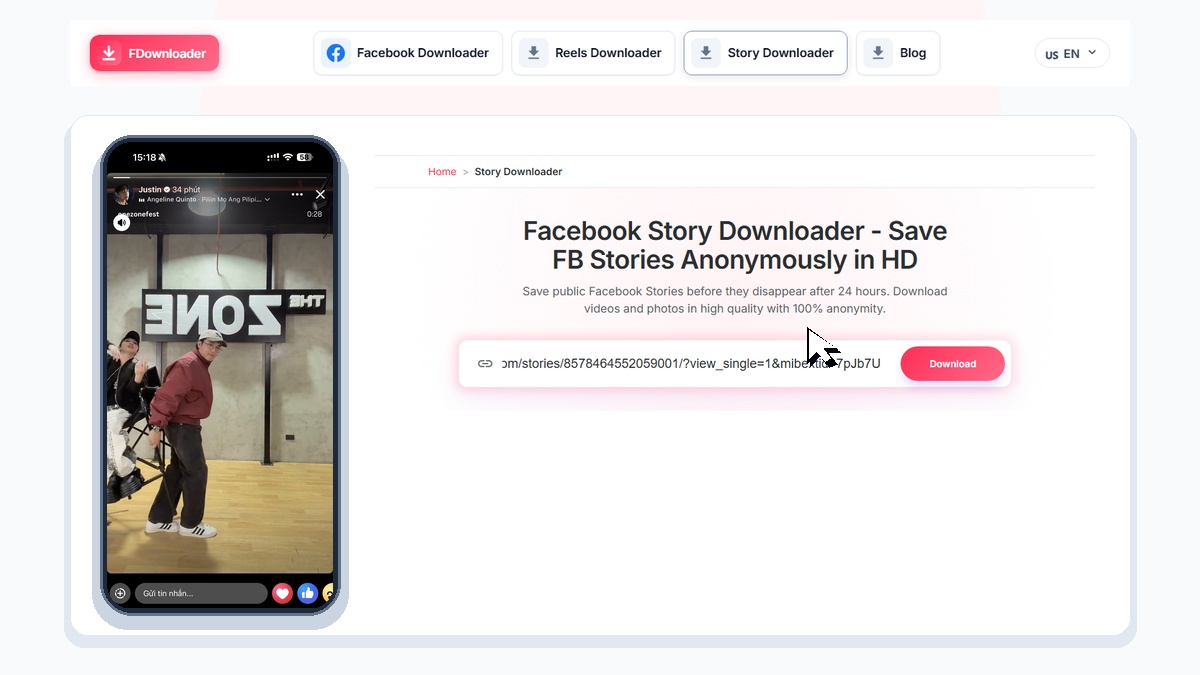
A Facebook Story stays live for only 24 hours before it disappears automatically from the feed. FDownloader Facebook Story Downloader gives you a permanent copy of public Story videos and photos: simply paste the Story link into the input box above and fetch the source MP4 video or JPG image straight from Facebook in HD or SD quality. You do not need to log in to your Facebook account, install a browser extension, or settle for a blurry mobile screen recording covered with progress bars and reply buttons.
Why Download Facebook Stories Before the 24-Hour Limit?
Because Facebook Stories are designed as temporary updates that vanish after one day, users, creators, and community managers frequently need a reliable way to save Story content before the 24-hour window closes:
- Preserve Clips Before the 24-Hour Expiration: Save memorable family updates, travel clips, event highlights, or short tutorials shared by public pages before they are removed from the Story bar after 24 hours.
- Offline Viewing Without Mobile Data: Downloading a Facebook Story as an MP4 file lets you watch it anytime on airplanes, commutes, or in areas with weak network coverage without buffering.
- Content Archiving and Repurposing: Creators, brands, and social media managers use FDownloader to archive published Stories, back up clips they were tagged in, or repurpose vertical 9:16 videos for portfolios, presentations, and other short-form platforms.
- Cleaner Than Screen Recording: Taking a phone screenshot or screen recording captures the username header, pause icon, progress bar, and message box. Downloading the source file by link gives you the clean video or image frame as uploaded.
Supported Facebook Story Formats: Videos, Photos, and Audio
Facebook Stories can contain vertical videos, static photographs, text cards, or clips paired with background music. FDownloader detects the media type from your pasted URL and provides the matching download options:
- Facebook Story Videos (MP4 in HD & SD): Video Stories are saved in universally compatible H.264 MP4 format. When the source Story was uploaded in high definition, you can choose between HD (720p or 1080p) for crisp full-screen playback and SD (360p or 480p) for smaller file sizes.
- Facebook Story Photos (JPG / PNG): Static photo Stories and graphic announcements are extracted in their original image resolution so you can save clear pictures without screen-capture compression.
- Stories With Background Music and Sound: For public video Stories that include spoken commentary, ambient sound, or unmuted music tracks, the downloaded MP4 file retains the synchronized audio stream.
How to Copy and Download a Facebook Story on Any Device
Saving a Facebook Story by link takes only a few seconds on mobile phones, tablets, and desktop computers. Follow the steps below to copy a valid Story URL and save the file to your device:
How to Get the Link to a Facebook Story
- Open the Facebook mobile app or visit
facebook.comin your browser and tap the public Story you want to save. - Tap the three dots (
...) in the top-right corner of the Story player. Tapping the menu pauses the Story so it does not advance while you copy the link. - Select Copy link from the menu. On a desktop computer, you can also copy the full
facebook.com/stories/...URL directly from your browser address bar. - Open FDownloader Facebook Story Downloader, paste the URL into the box at the top of this page, and click Download.
Saving Stories on iPhone & iPad (iOS Safari)
Open fdownloader.pro/story in Safari on your iPhone or iPad, paste the Story link, and tap Download. Choose your preferred HD or SD quality button. Once Safari finishes downloading the file, tap the Downloads icon in the address bar, open the video in the Files app, tap the Share icon in the bottom corner, and select Save Video (or Save Image) to move it directly into your iPhone Camera Roll.
Saving Stories on Android Phones & Tablets
Open Chrome or any mobile browser on Android, paste the copied Facebook Story URL into FDownloader, and tap Download. Pick your desired resolution and the MP4 video or JPG photo will save straight into your Downloads folder and appear automatically in your phone Gallery or Google Photos app.
Saving Stories on Windows PC & Mac
On a laptop or desktop computer, open the Story at facebook.com, copy the URL from the browser address bar, and paste it into FDownloader. Click the HD or SD download button to store the file in your system Downloads folder for offline viewing or editing.